01
Camera light
The iPhone rear flashlight, one tap to turn on and off. Adjustable intensity where the device supports it.

Apps · Lanterna
Turns on fast, screen or flash. Six curated presets, SOS in Morse code, timer, camera light, screen light and widgets. To turn on the light at 3 a.m. without disturbing the house, the room, the plane, the tent.
tap to turn on
Just as the app opens. Center button, one gesture. The screen dims on its own when the light comes on.
what it does
Open the app, the flashlight is ready. No heavy splash screen, no ads, no onboarding, no login. The big button in the middle turns the light on. Tap again, off. It is that simple.
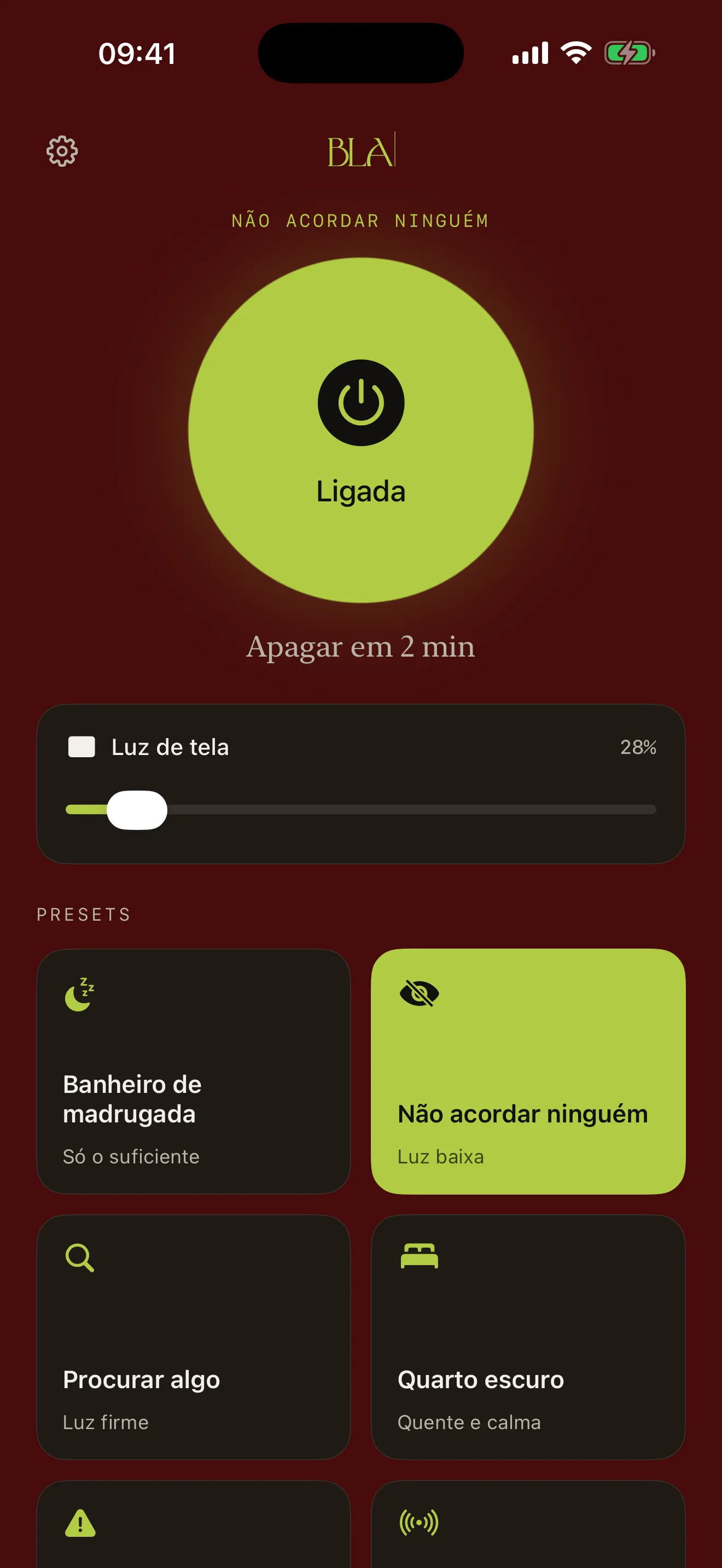
The difference is in the details. The interface goes dark the moment the light comes on, so it does not blow out your night vision. The brightness starts low, rises if you need it. Six common situations come ready, just pick one. Includes an SOS that blinks in Morse code so you can be seen from afar when you need to.
five modes
The iPhone flashlight has more to it than an on-off button. Here each mode is laid out directly, no submenu, no gymnastics.
01
The iPhone rear flashlight, one tap to turn on and off. Adjustable intensity where the device supports it.
02
The screen becomes a flashlight, in warm tones that do not hurt the eyes. For when the camera is not enough or you need diffuse light.
03
Turn it on, set the time, sleep. The light goes off on its own. No need to come back.
04
Six curated situations. You tap, it comes already set. Brightness, color and duration thought out for each use. Includes SOS in Morse code.
05
Turn it on straight from the lock screen or the home, without opening the app. Tap the widget, the light comes on in the preset you chose.
six presets
Most flashlight apps let you adjust everything. This one comes with six situations already thought out. You pick the one that fits and turn it on. The SOS blinks in Morse code so you can be seen from afar.
01
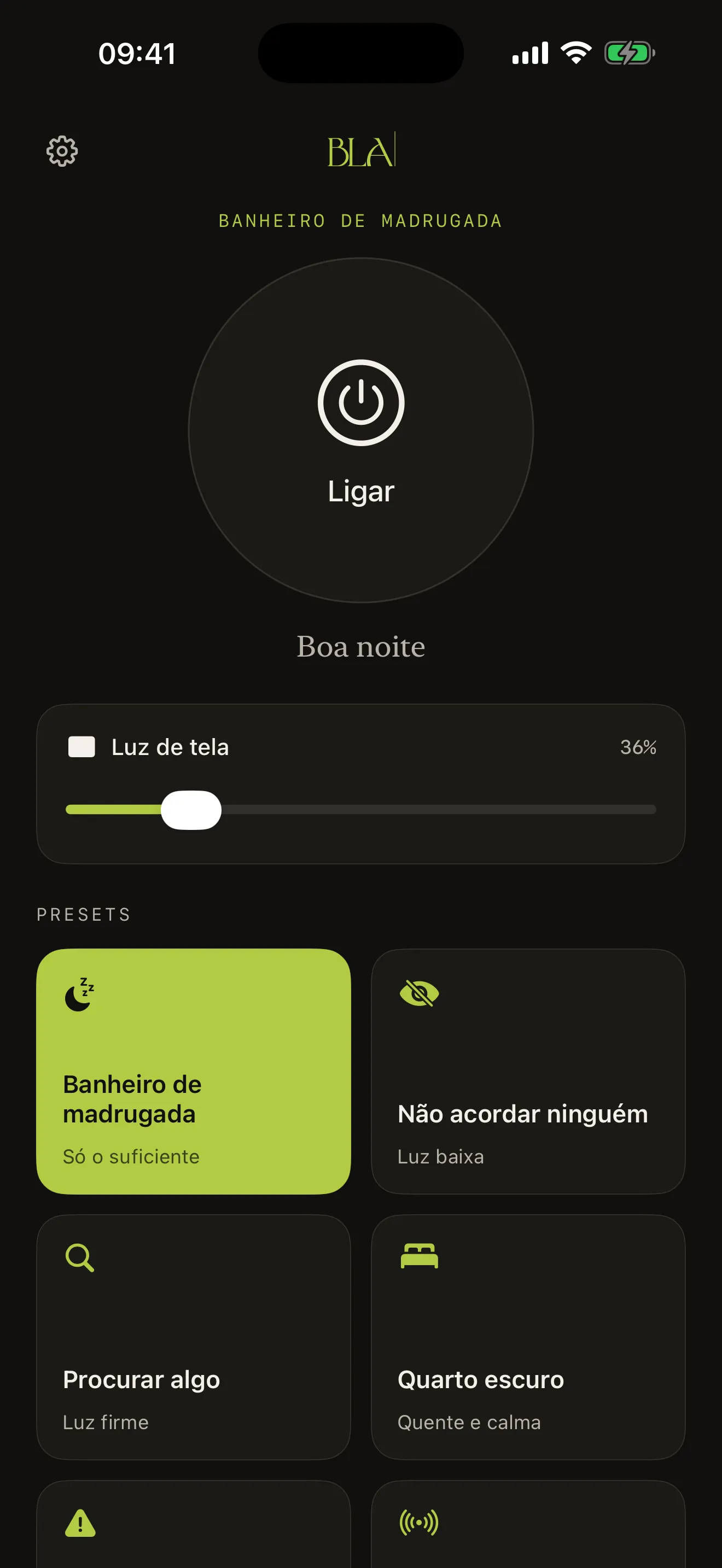
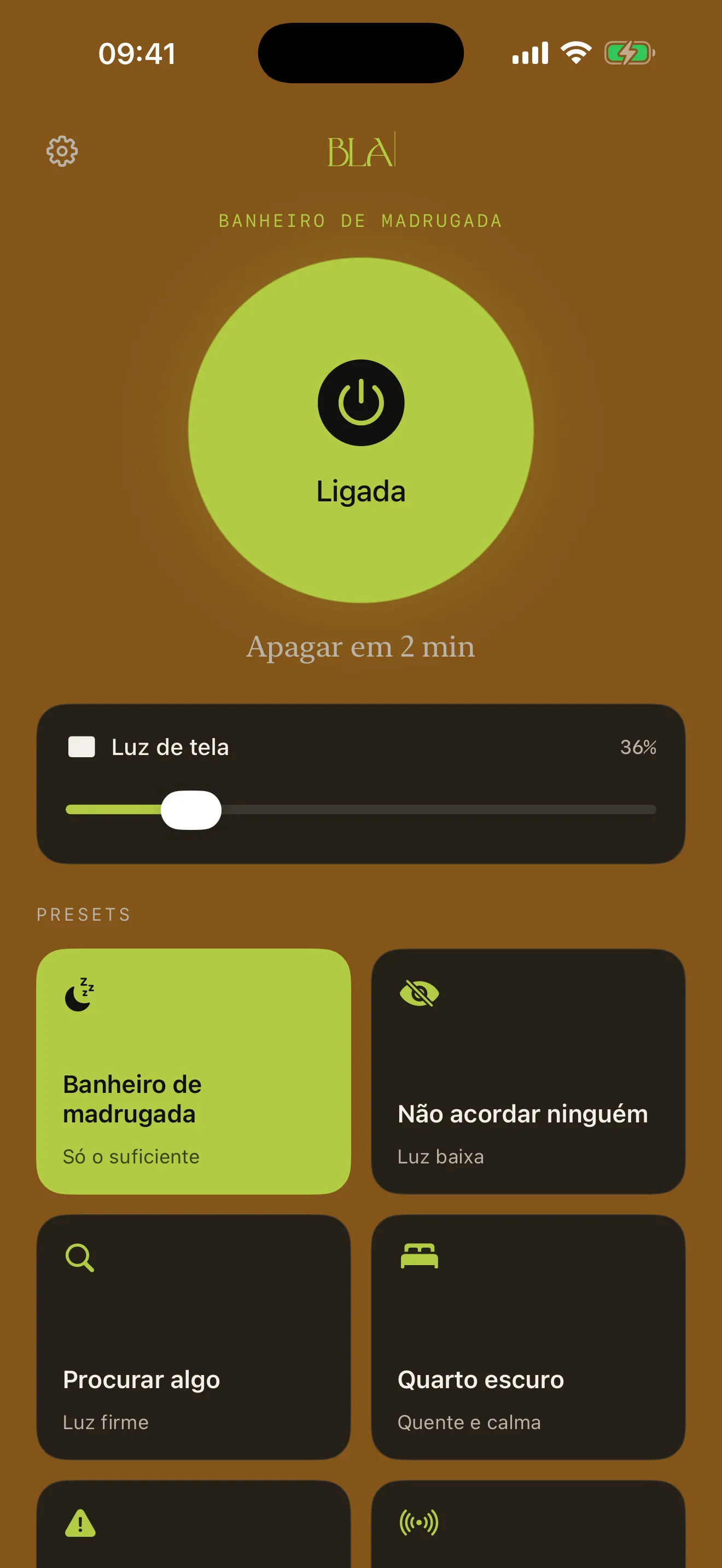
Minimum brightness, warm amber light. You go and come back without waking the house.
02
Low light in a discreet red tone. For anyone with someone asleep beside them, a baby in the crib, a partner on a different schedule.
03
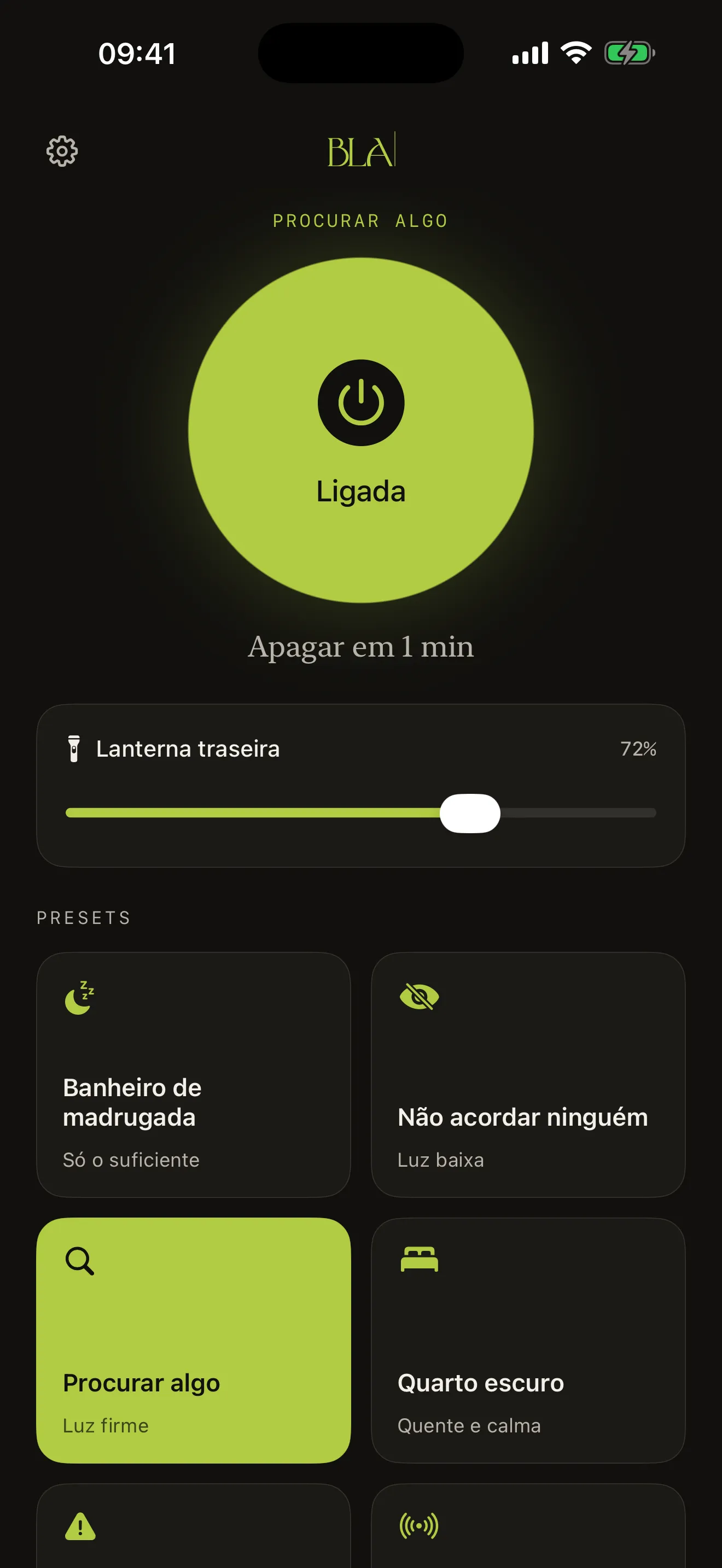
Steady, soft white light. For digging through a drawer in the dark, finding the key that dropped, searching a bag in an unfamiliar room.
04
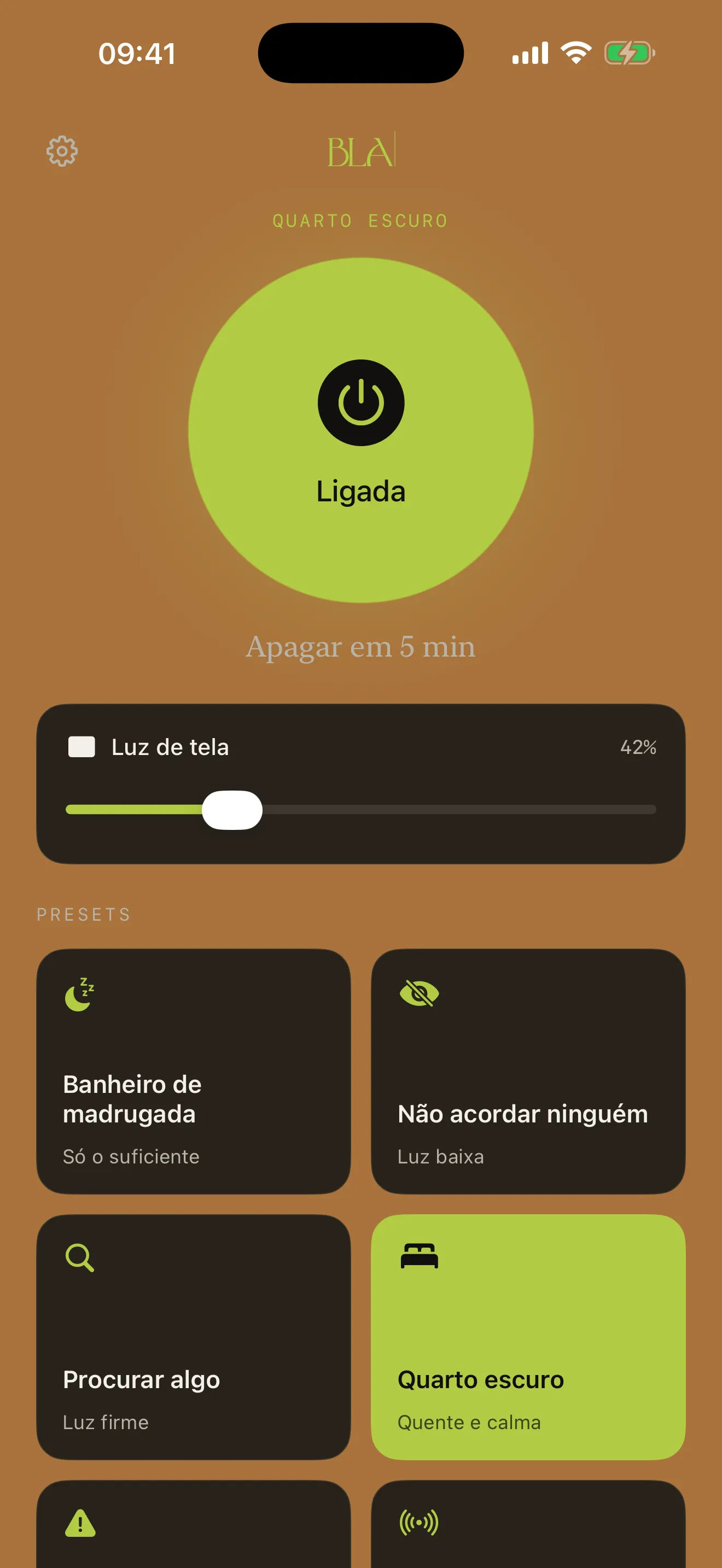
Warm, calm light. For low reading before sleep, or to cross the house without turning on the chandelier.
05
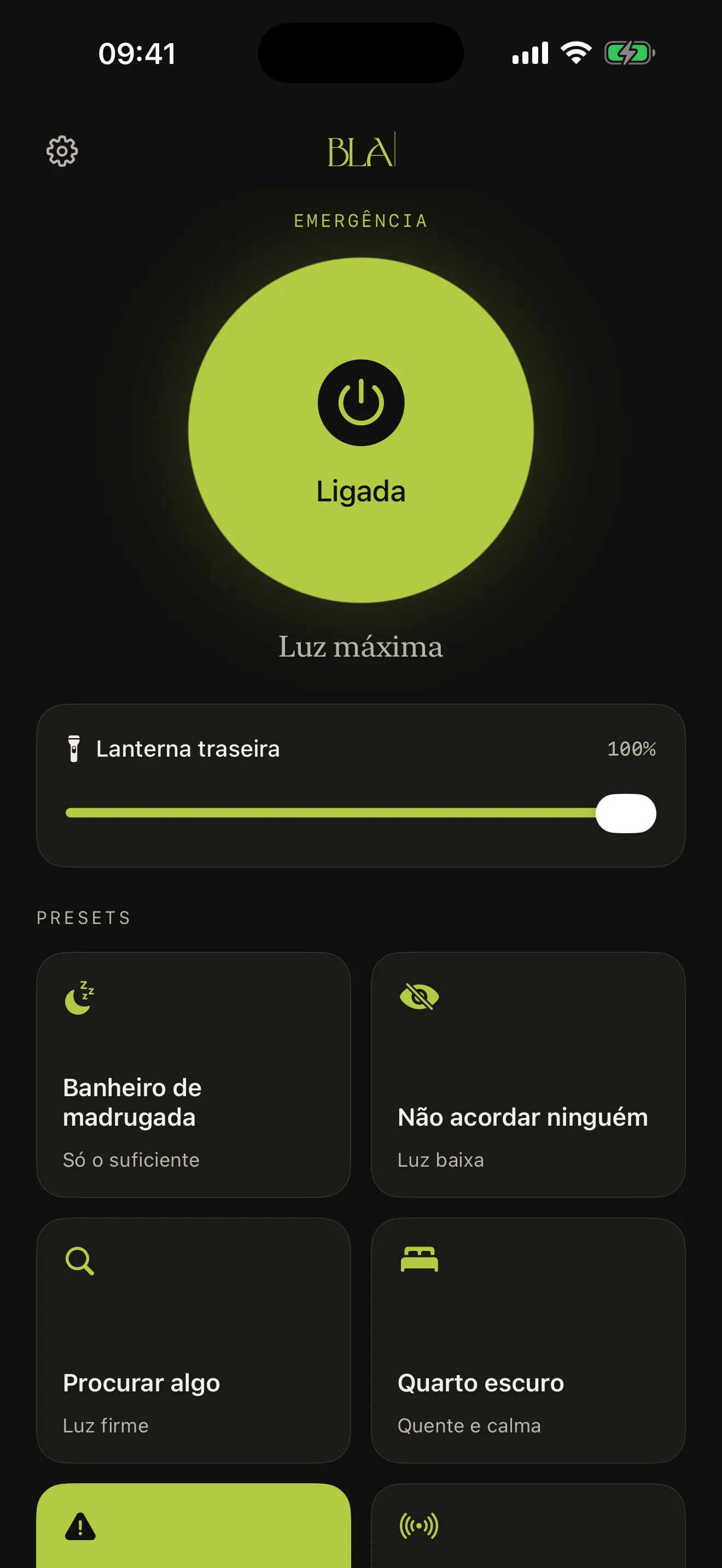
Everything at max. Camera and screen on. When you need light, not elegance.
06
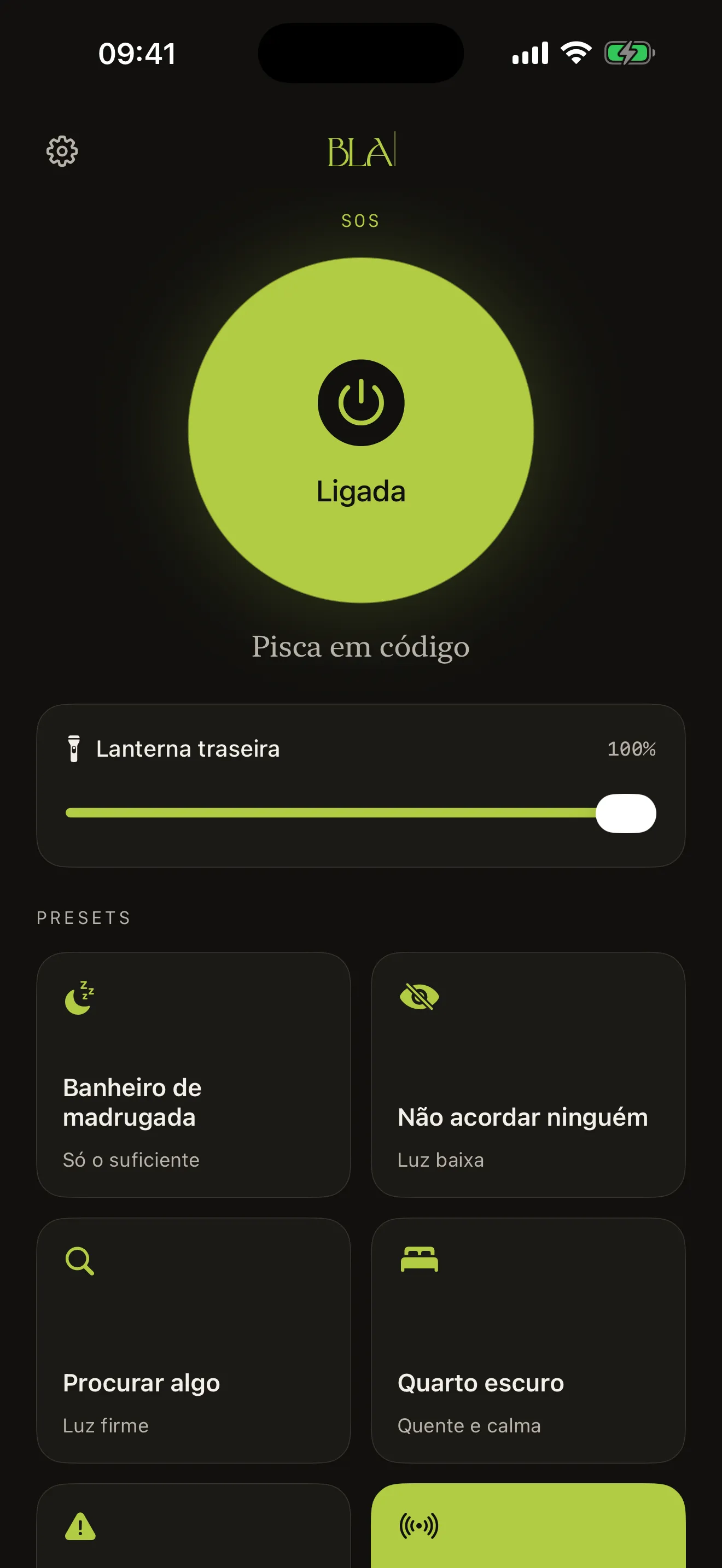
Blinks in Morse code, three short, three long, three short, in a loop. To be seen from afar when things get rough.
how it looks
Each screenshot shows the app in one of the situations it was made for. Bathroom at night, Wake no one, Find something, Dark room, Emergency, SOS.
four languages
Single-purpose, but it crosses borders. Each translation was cared for with the same attention as the Portuguese version.
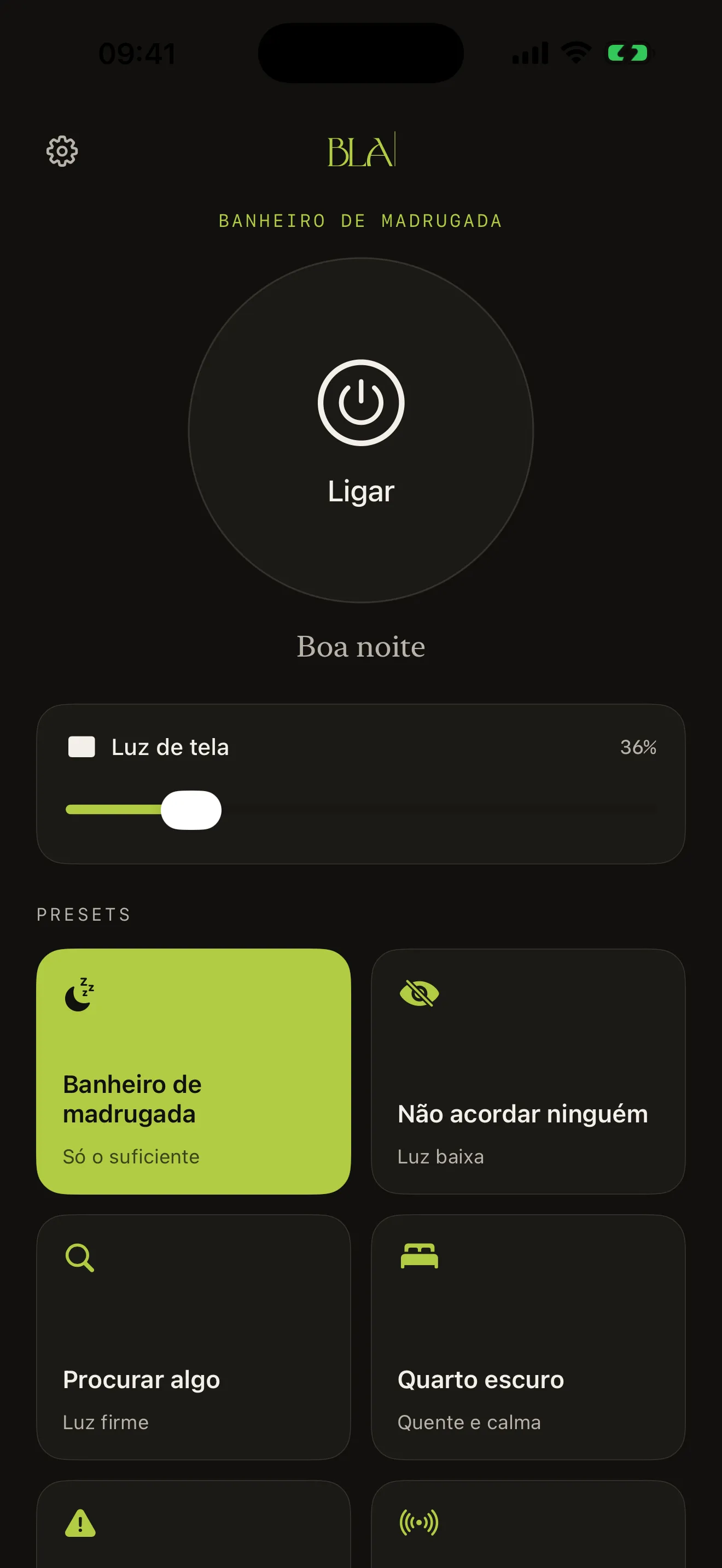
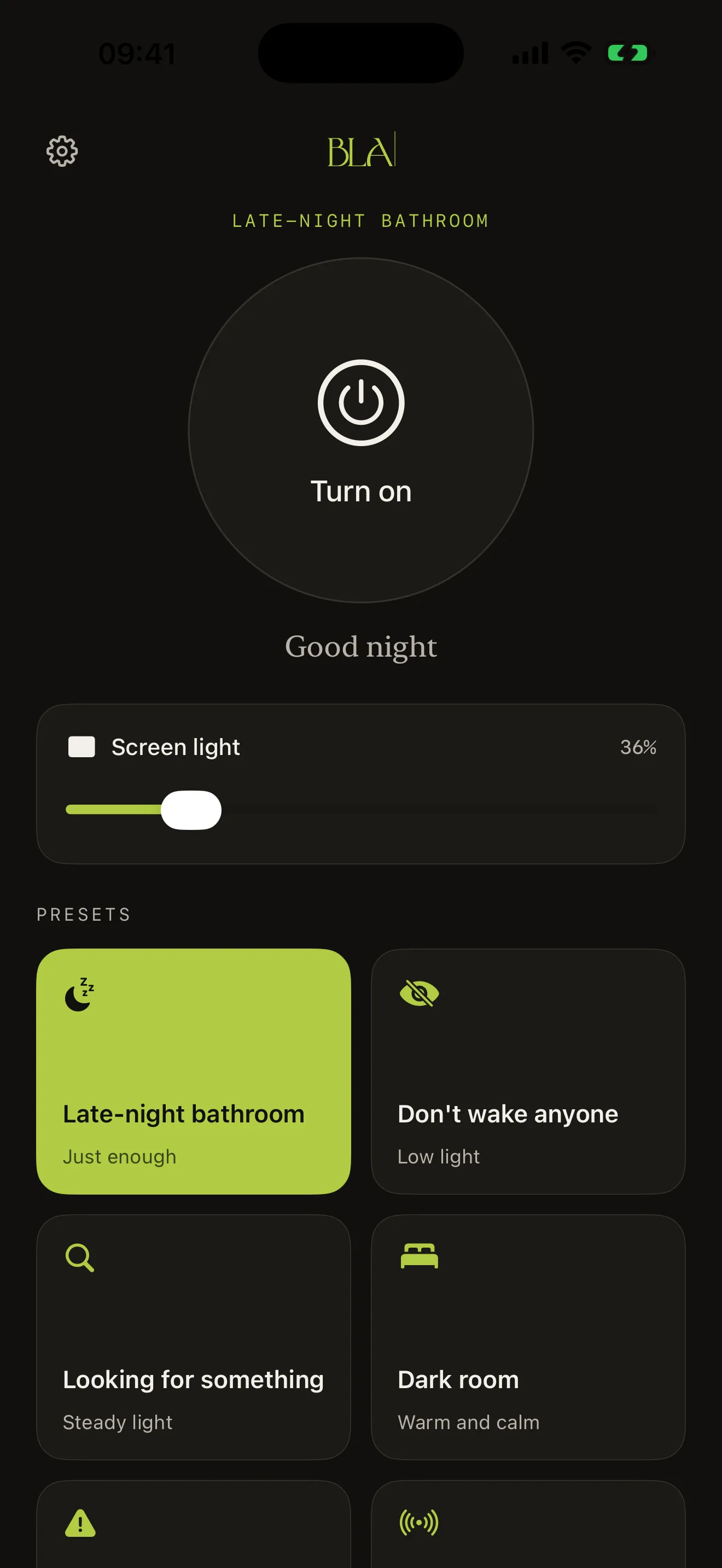
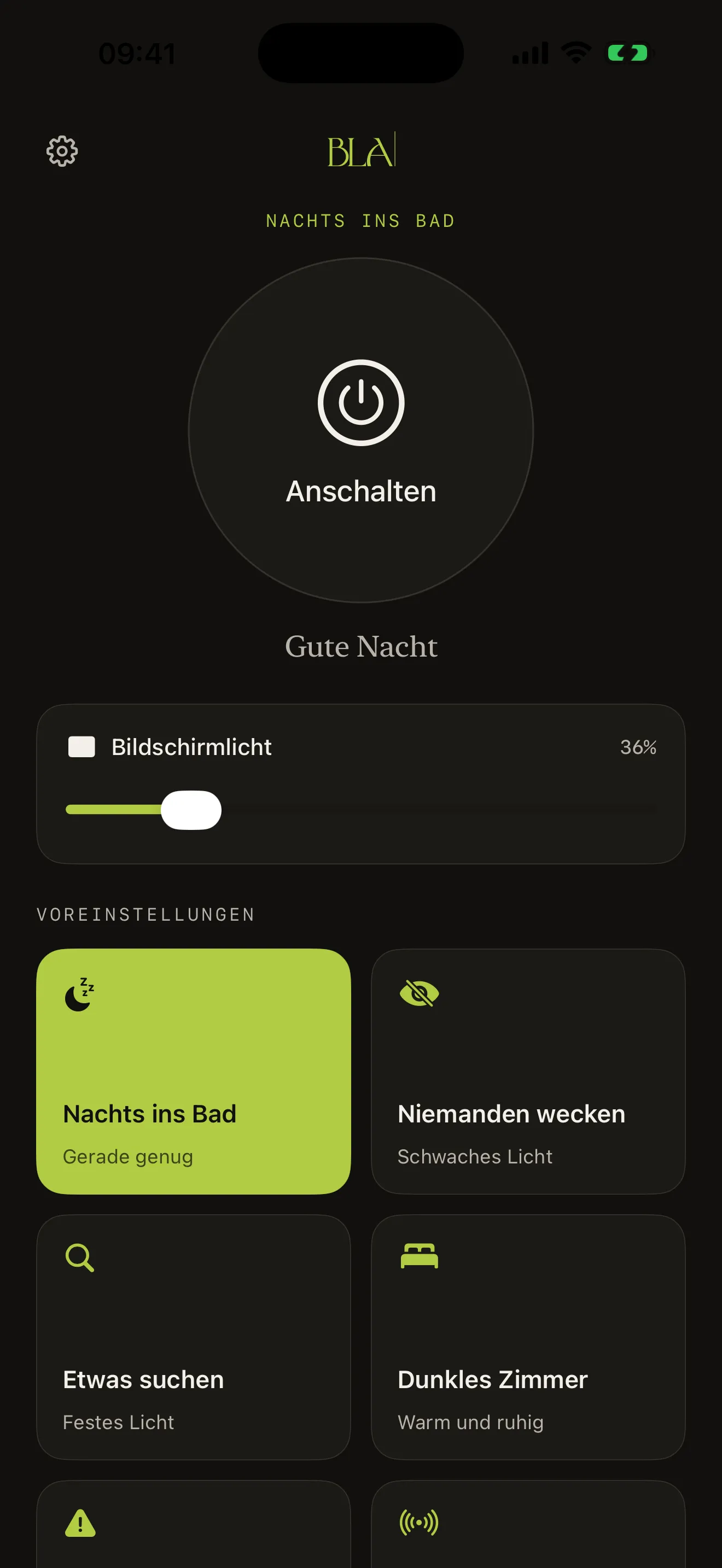
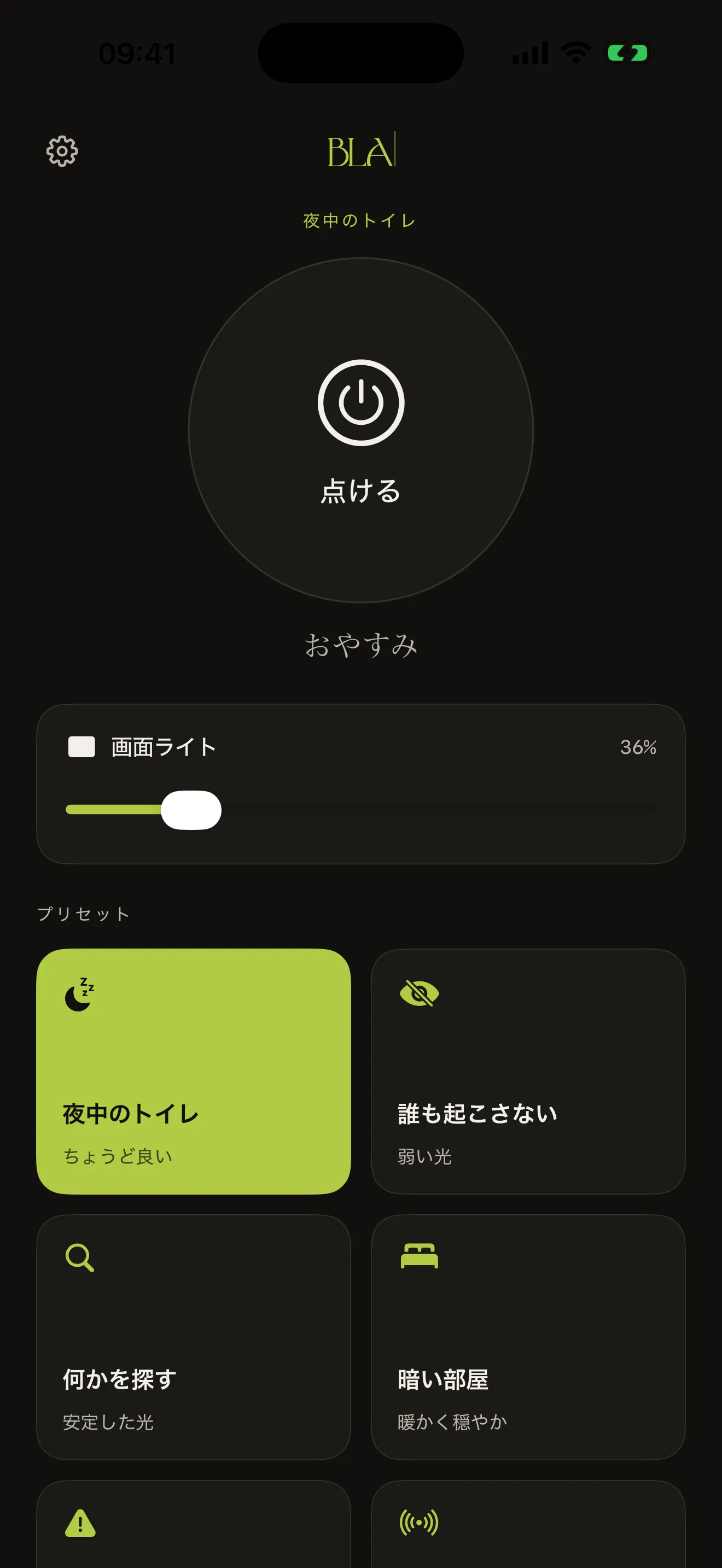
always nocturnal
Most flashlight apps keep the app white while the light is on. You turn on the flashlight to look at the floor and get a headlight in the face. Here there is no decision to make: the interface is always charcoal, with type in warm tones to preserve night vision. You do not have to set a theme, pick a mode, remember to switch. You open it, it is ready.
the look
A deep charcoal background, the app's only theme. Action capsules in green, warnings in coral. Type in warm tones, calibrated for night reading without glare. Lanterna BLA breaks from the three-theme pattern of the other BLA apps, because a light theme in a flashlight app would be a contradiction.
why it exists
The flashlight that comes with iOS is good for turning on in a panic, not for turning on with care. No timer. No preset. It does not dim the screen when you use it. You leave the app, it goes off.
This one is the opposite: it was made to turn on on purpose, at the right time, the right way. Bathroom at night, Wake no one, Find something, Dark room, Emergency. Five situations that asked for a good flashlight, plus an SOS in Morse code for an emergency response.
who makes it
BLA is a content powerhouse built over twenty years of experience in marketing, branding and narrative.
leitura
Textos sobre Lanterna BLA no blog da BLA.
0115 de junho de 20267 min
Quantas linhas de código uma lanterna de iPhone realmente precisa? Três acendem o LED. As outras duzentas fazem tudo o que separa exercício de Swift de produto editorial. O bastidor da Lanterna BLA.
0225 de maio de 20268 min
A luz que você acende às três da manhã estraga seu sono? Tem grau. O que diz a literatura sobre melatonina, luz azul e higiene do sono, e por que a Lanterna BLA foi feita pensando exatamente nessa janela.
0318 de maio de 20267 min
O SOS da Lanterna BLA segue o padrão internacional de código Morse, com a temporização da recomendação ITU-R M.1677-1. Três curtos, três longos, três curtos, em loop. Não é pisca decorativo.
0413 de maio de 20266 min
A primeira da linha single-purpose da BLA. Lanterna noturna pra iPhone, tema carvão fixo, seis presets curados, SOS em código Morse de verdade. Sem propaganda, sem login, sem coleta, sem assinatura.
0522 de junho de 20267 min
Vale ter um app de lanterna se o iPhone já tem uma nativa? Sim, se a sua rotina pede o que a nativa não faz. Três objetos com três propósitos diferentes. Quando cada um cabe e quando não.
068 de junho de 20267 min
Quando a lanterna virou parte do telefone, e o que ela carrega de signo cinematográfico desde Twin Peaks, Stranger Things e Stephen King. Como a Lanterna BLA devolve um pouco de cerimônia ao gesto.
now on the app store
On, light, off.
For iPhone with iOS 26 or later.